
The Settings Menu
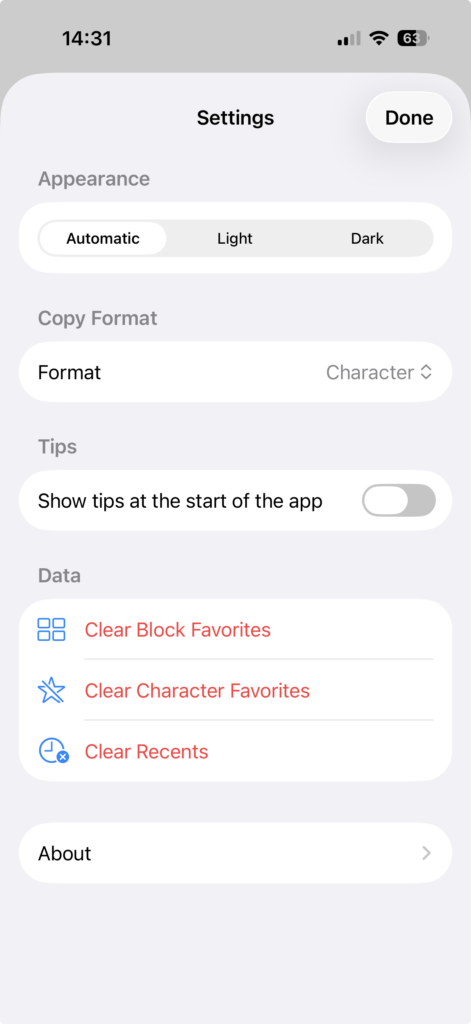
Access the Settings Menu by selecting the cogwheel icon (on the iPhone behind the menu icon – three dots in a circle).
Choosing the Appearance
Select the app appearance (Automatic, Light, or Dark).Choosing the Appearance
Choosing the Copy Format
Select the default copy format (i.e. the format in which a character is copied to the clipboard when selected).
Activating / Deactivating the Tip of the Day

Use the switch to activate or deactivate the Tip of the Day that is shown when the app is started. If you have previously dismissed all tips (‘Got it’), activating the tips shows all of them again.
Deleting Data from Lists


You can delete the list of Block Favorites, the list of Character Favorites, and the list of Recents.
About the Unicode Companion

Here you find information about the software version of Unicode Companion you are using, the copyright, our Privacy Policy and you find a link for sending us feedback about what you like and don’t like about the add and about features you would like to see in future versions of the app.