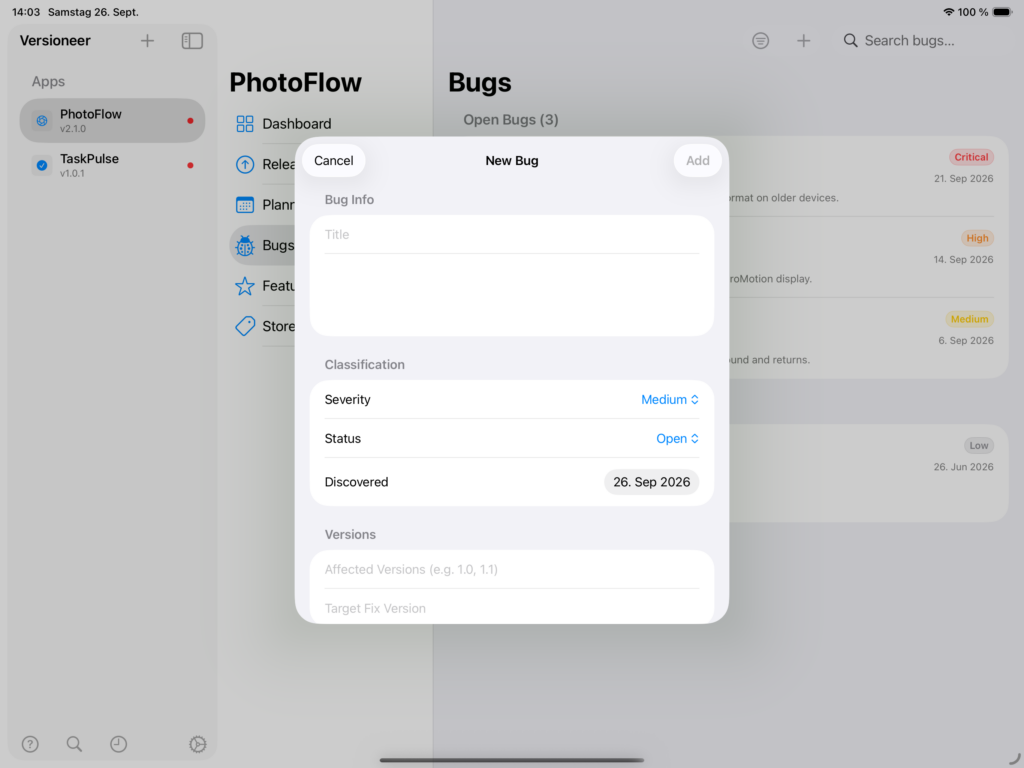
Logging a bug. Give each bug a title, a description, a severity (Critical, High, Medium, or Low), and the versions it affects.
Why severity matters. Critical and High bugs are highlighted throughout Versioneer, in the dashboard and in the sidebar, so the things that actually need fixing first stand out from a long backlog rather than getting lost in it.
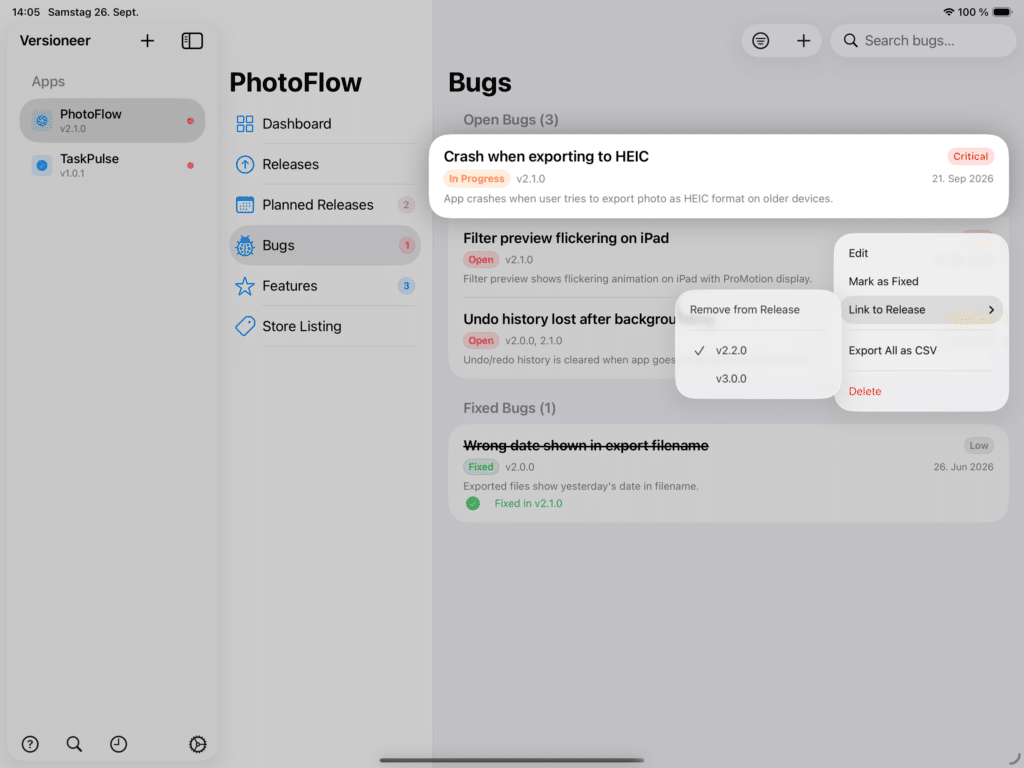
Linking a bug to a release. Assign a bug to a planned release, and it shows up in that release’s bug-fix list automatically. Once you mark the release live, the bug is marked Fixed for you, one less thing to update by hand.